Findings
Prioritized concerns that give your team a place to start.
Product
For post-quantum cryptography migration, Laviq shows what your Linux workloads use, helps your team prioritize the next change, and lets you protect selected traffic while the migration progresses.
How Laviq helps you decide
Follow the same path your team will use in a review: see what the workload used, understand what matters first, measure the behavior, and protect selected traffic.
A scan captures cryptographic activity with the process, implementation, library, and network details available for the workload.
What the scan capturedFindings, inventory, and workload relationships show how the observed activity connects to your migration question.
Migration prioritiesReadiness and measured performance help your team choose the next migration step and identify what needs more testing.
Measured behaviorFor selected matching connections, compare the current and proposed protection, status, and policy hits.
New matching traffic only01 / See what happened
Raw Evidence shows the cryptography Laviq captured in the workload, with the process and implementation details your team needs to investigate it.
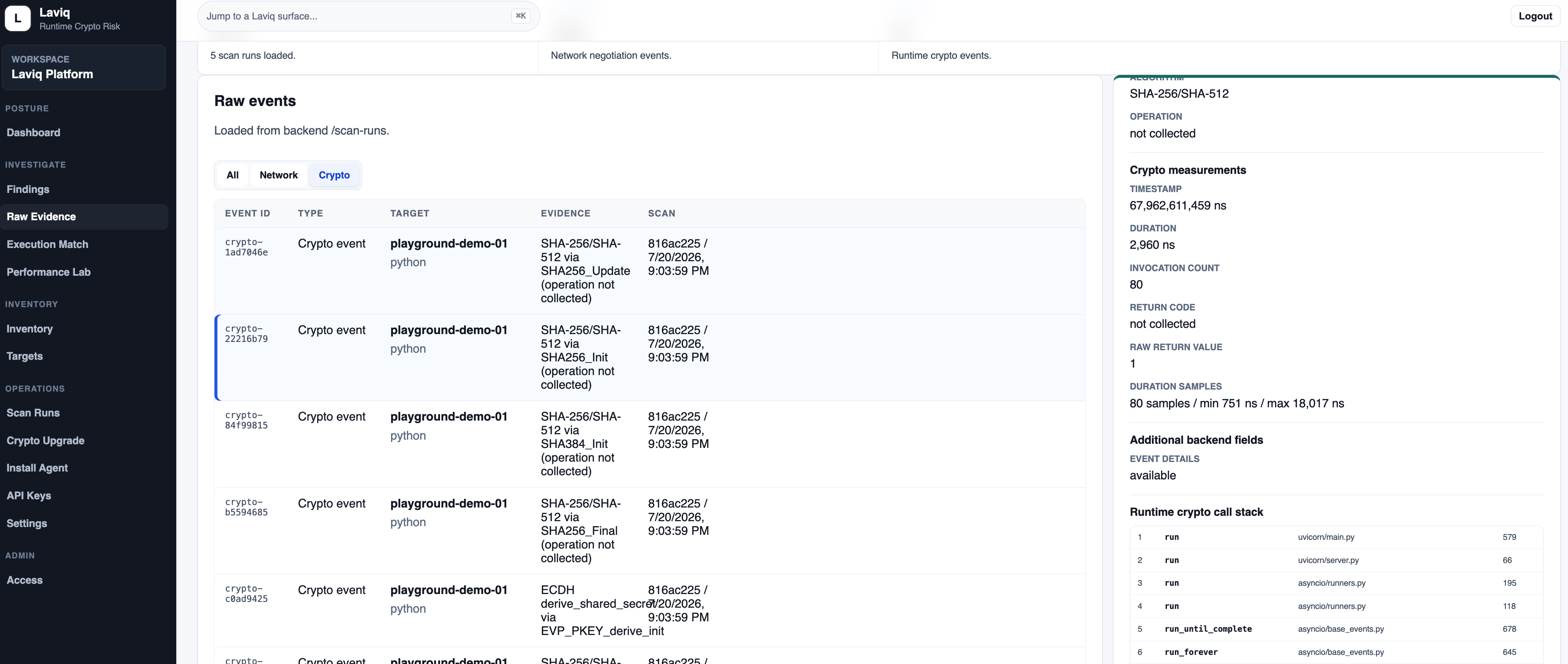
What you can see
02 / Understand · Migration priorities
The Console brings together findings, workload context, ownership, relationships, and measured behavior so your team can decide what to change first.
Prioritized concerns that give your team a place to start.
The workloads, libraries, and endpoints seen in the run.
Connections between a concern and the workload or network path behind it.
Measured behavior from the workload.
The records behind each review.
A package to share in migration and security reviews.
02 / Understand · Priorities
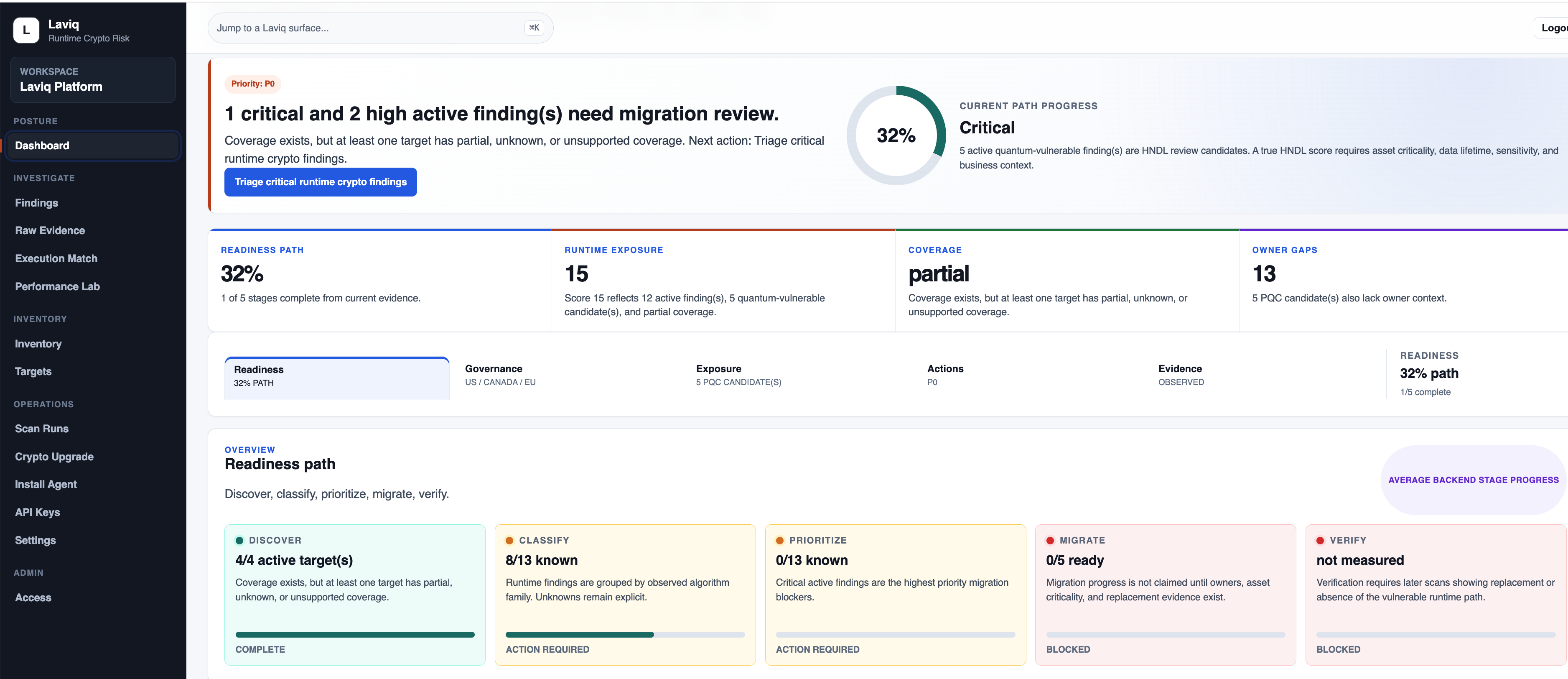
The dashboard brings active findings, exposure, coverage, owner gaps, and migration progress together so your team can focus the next review.
02 / Understand · Trace the workload
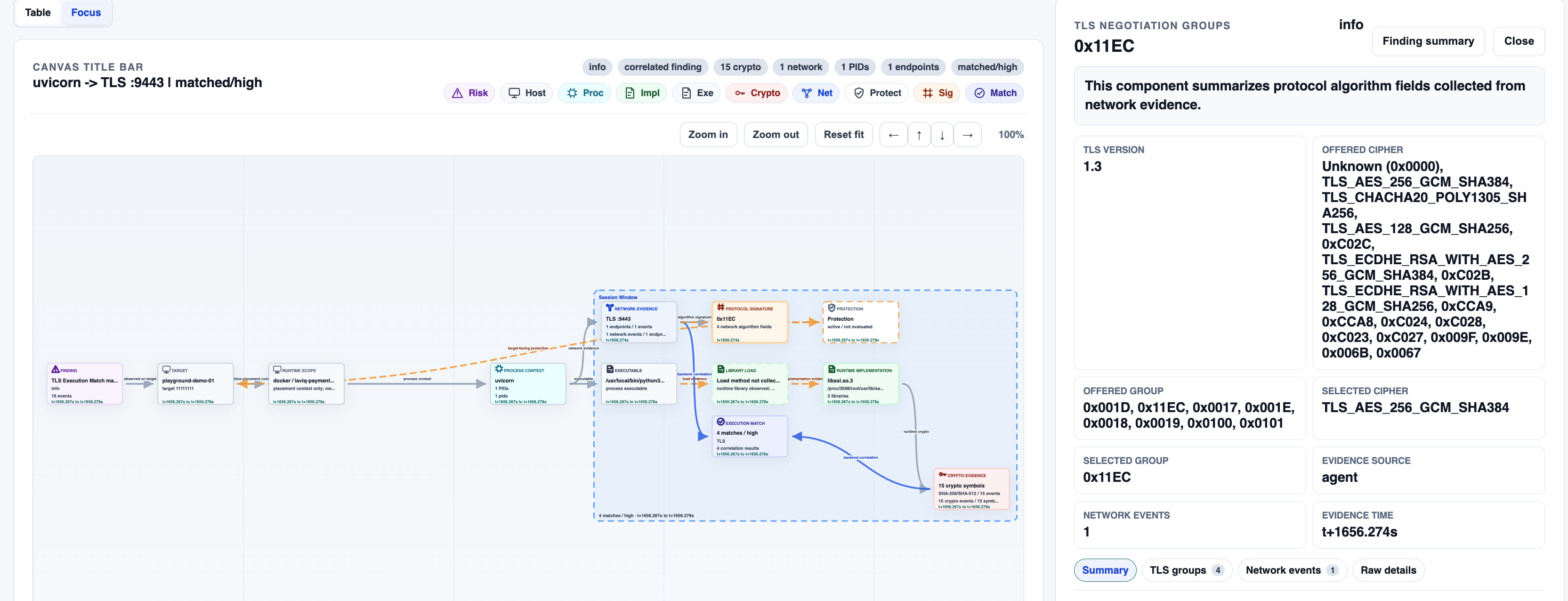
This view links the concern to the target, process, network path, implementation, and crypto activity so your team can see what is behind it.
03 / Measure · Performance Lab
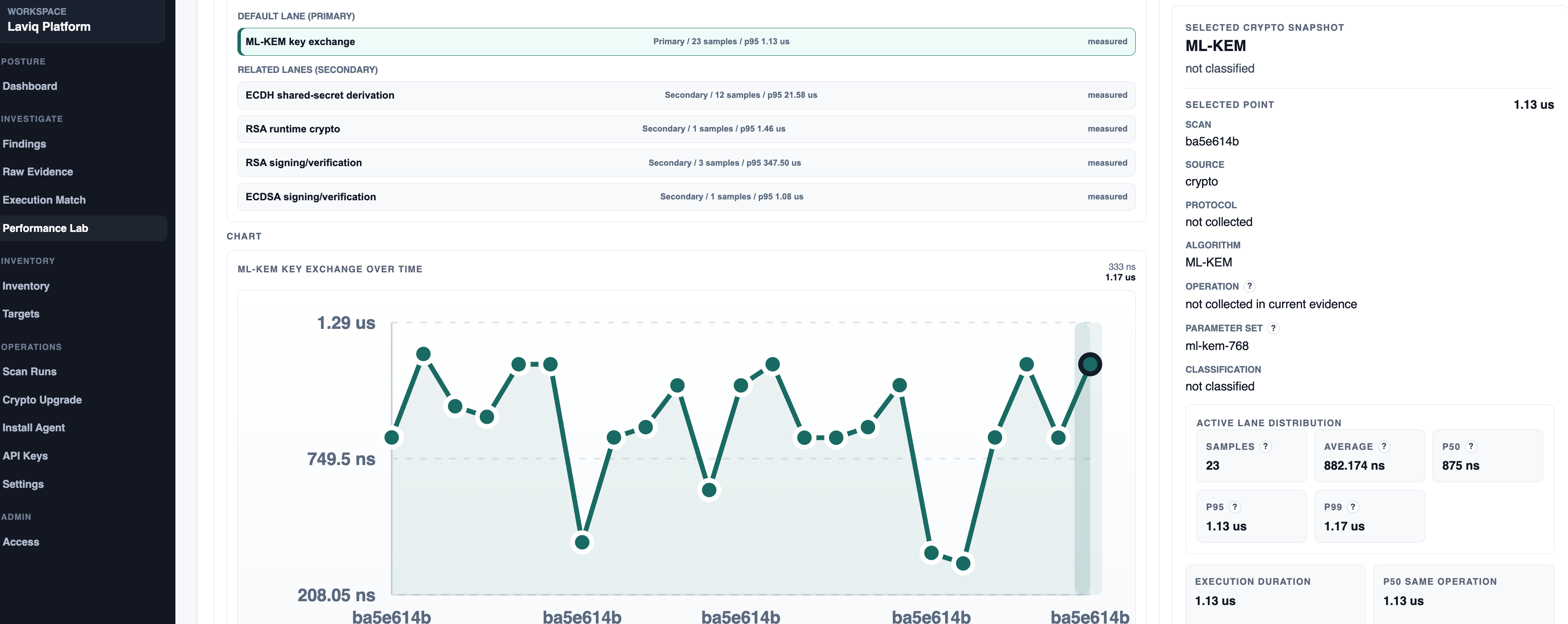
Performance Lab shows measured samples and related operations from the workload. Use it to compare the observed behavior and identify what to test next.
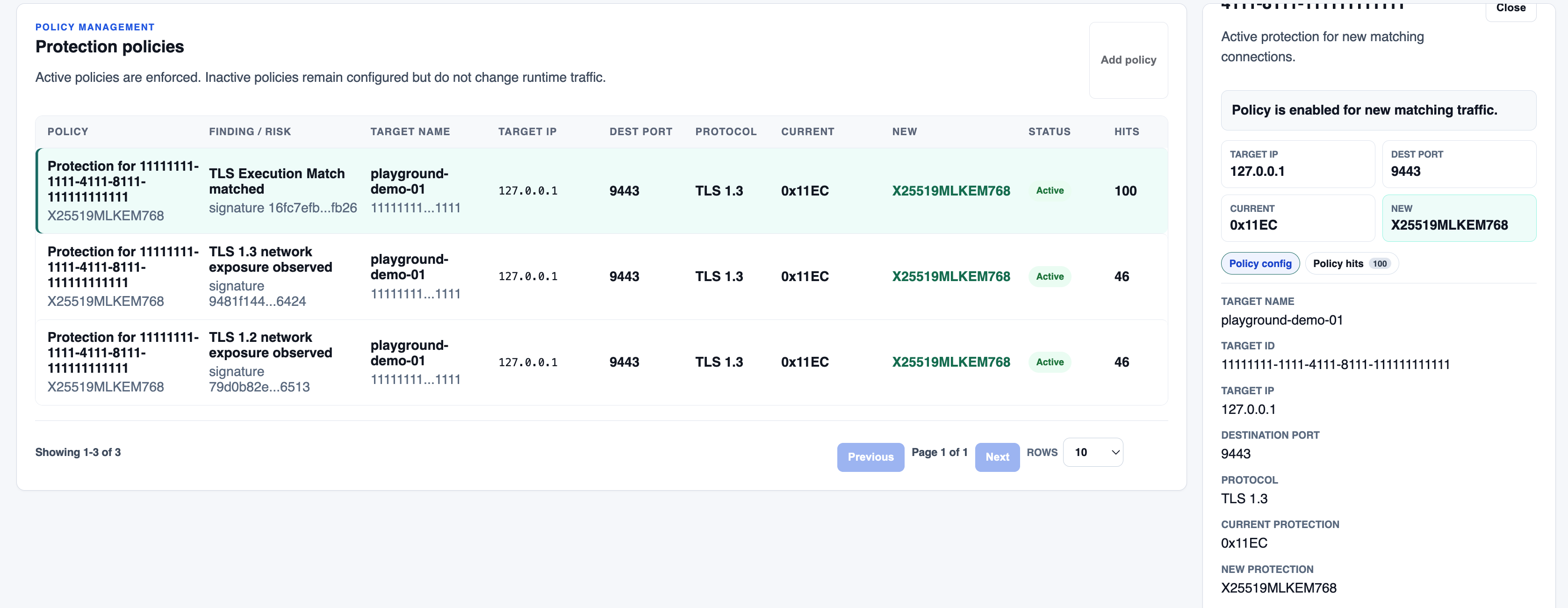
04 / Protect · Selected traffic
Choose the traffic to protect, compare its current and proposed setting, and see whether the policy is active and receiving hits. Active policies apply to new matching connections only.